System's main window
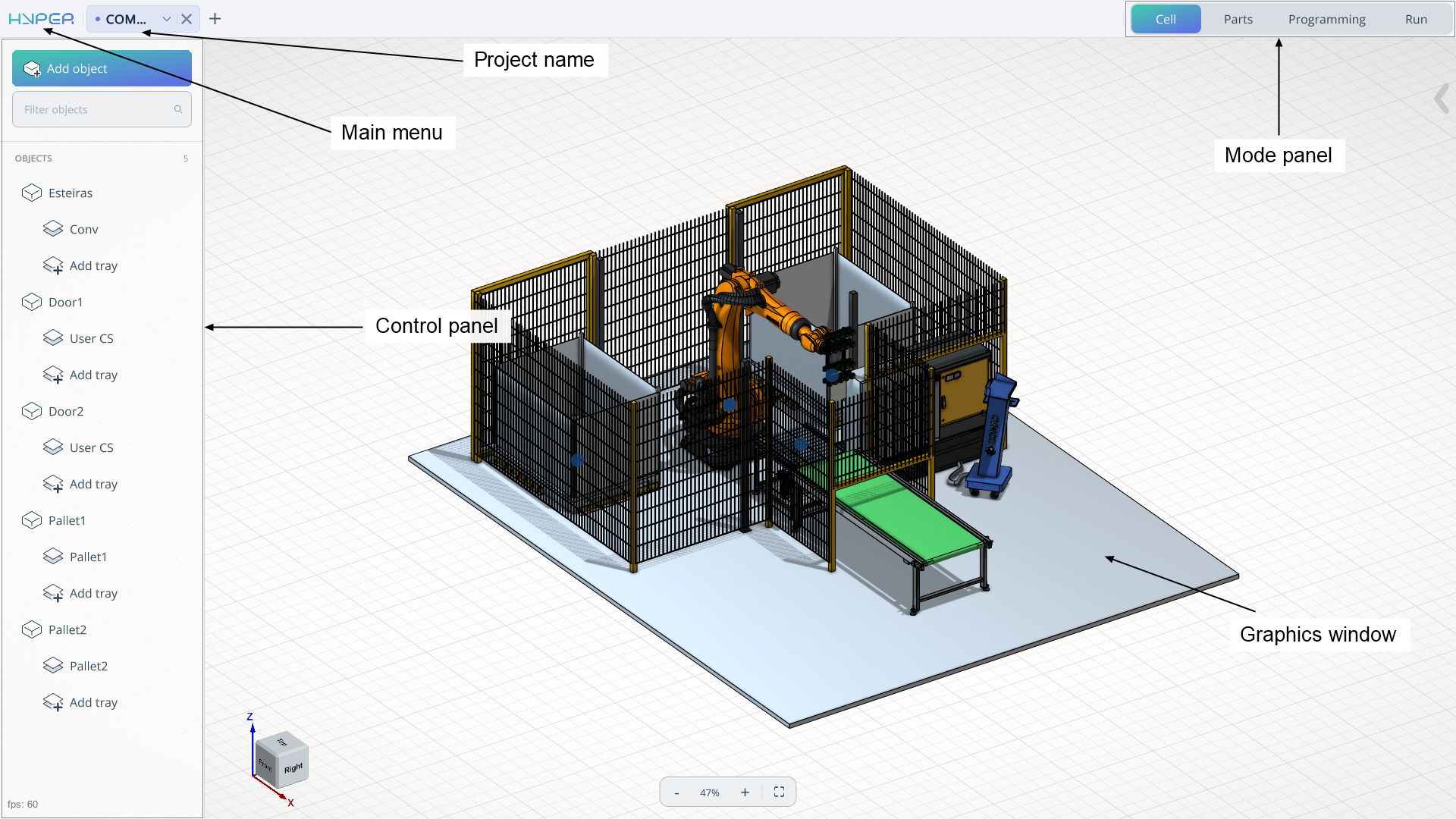
The system's main window has the following view:
Mode panel. The mode panel is necessary for step‑by‑step switching between various solutions, from loading the equipment scheme to executing the task on the robotic cell. Mode: Cell, Parts, Programming, Run. See more
Control panel. The control panel will change depending on the operating mode. It can be presented as a tree of mechanisms, a list of models, or a list of robot movements.
Main menu. The main menu allows you to open a list that includes project opening, project submission, license menu, and other options. See more
Project name. The project name field allows you to enter the project name using the provided keyboard.
Graphics windows. The graphics window shows the main components, including the cell, parts, trajectory, etc.