ENCY Hyper user manual
  • ENCY Hyper user manual
Search Results for

    Show / Hide Table of Contents
    • ENCY Hyper user manual
    • Introduction to ENCY Hyper
    • License activation
    • Home page
      • Project library
    • System's main window
      • Mode panel
        • Cell Mode
        • Parts Mode
        • Programming Mode
          • The navigation for robot movement in space
        • Run Mode
      • Main menu

    Project library

    images/download/attachments/150697469/image2025-11-11_9-29-58.png

    Application Area:

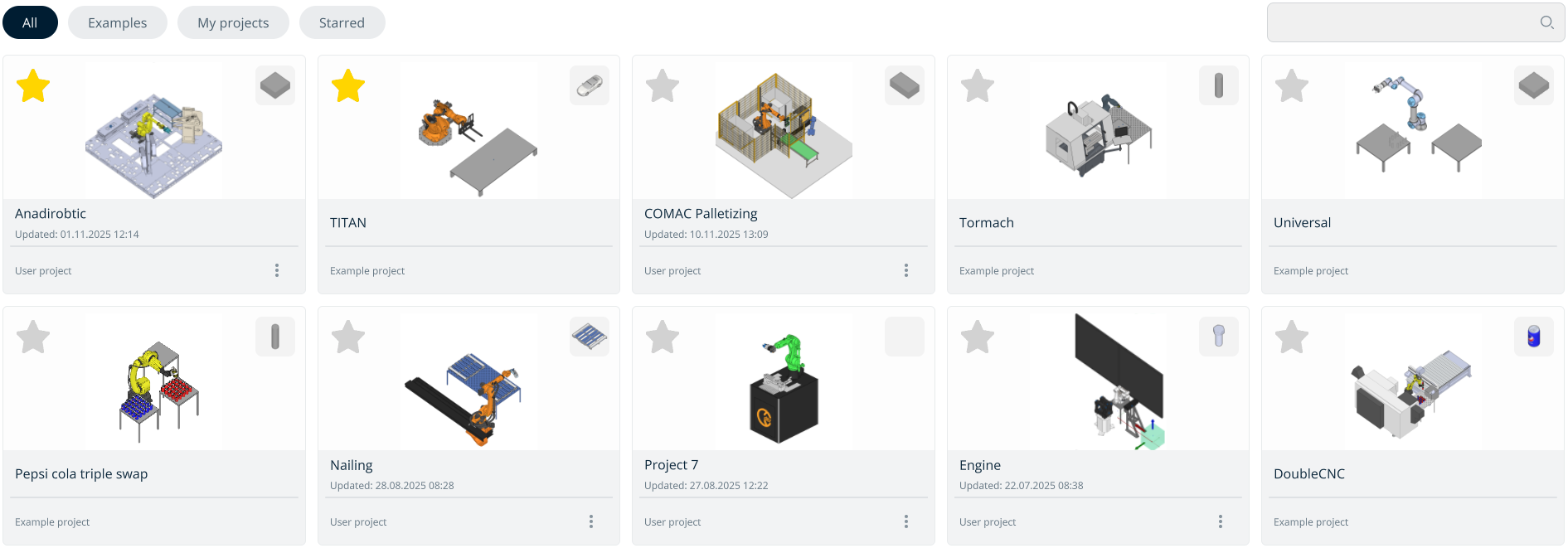
    Project library for storing and accessing projects.

    Buttons located at the top of the screen:

    All. Displays all projects combined.
    Examples. Contains all default projects preinstalled with the application.
    My Projects. Includes all user-created or imported projects.
    Starred. Shows favorite projects marked with a star.

    Navigating the Project Library.

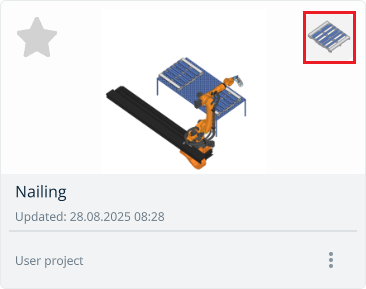
    The image located at the top-right corner of the project window displays the workpiece being processed.
    images/download/attachments/150697469/image2025-11-12_10-10-5.png

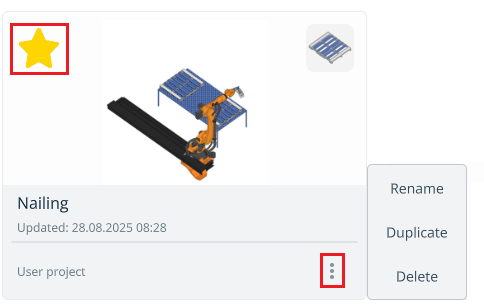
    User projects have a three-dot menu for:

    • Edit the project name;

    • Duplicate the project;

    • Delete the project.

    images/download/attachments/150697469/image2025-11-12_10-7-18.png

    In this article
    Back to top Generated by DocFX