ENCY Hyper user manual
  • ENCY Hyper user manual
Search Results for

    Show / Hide Table of Contents
    • ENCY Hyper user manual
    • Introduction to ENCY Hyper
    • License activation
    • Home page
      • Project library
    • System's main window
      • Mode panel
        • Cell Mode
        • Parts Mode
        • Programming Mode
          • The navigation for robot movement in space
        • Run Mode
      • Main menu

    The navigation for robot movement in space

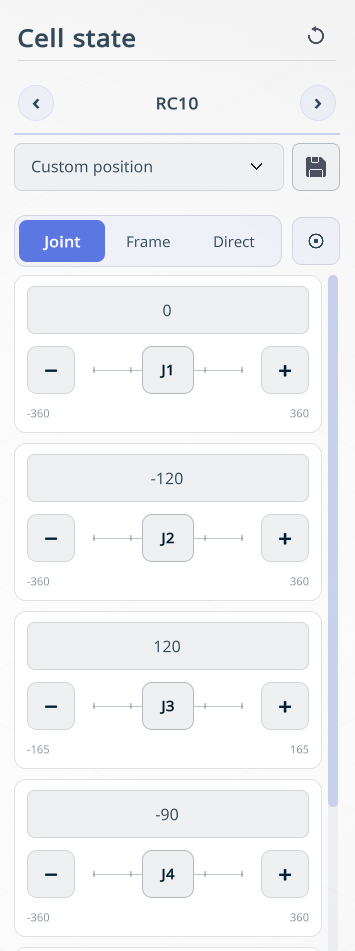
    Cell state panel with Joint, Frame, and Direct movement modes

    Application Area:

    Allows moving the robot in space in various ways.

    Joint Mode.

    Allows moving the robot by controlling individual axes.

    Frame.

    Frame mode provides three submodes for positioning the robot: TCP, Base, and Point.

    TCP. Moves the robot relative to the Tool Center Point (TCP) coordinate system.

    Base. Moves the robot relative to the robot base coordinate system.

    Point. Moves the robot to a point selected in the graphics window. Click a point within the robot’s reachable workspace to move the robot to that point.
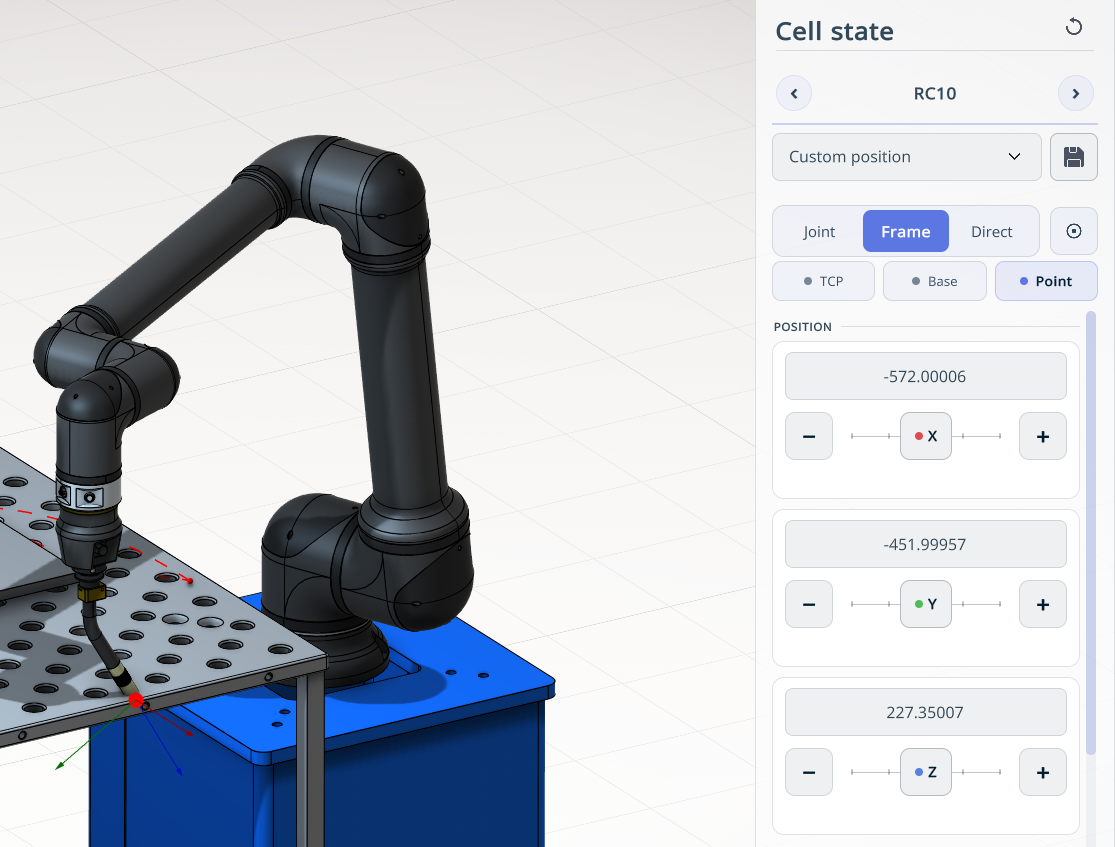
    Frame mode with the Point submode selected and a target point on the workpiece

    Direct Mode.

    Operates only when the robot is connected in real‑time mode. The robot can be moved either via remote control or manually.

    Precision mode

    Сan be enabled for all operating modes. This reduces the movement step to prevent the robot from colliding with obstacles. images/download/thumbnails/150697591/image2025-12-16_11-42-38.png

    The movement step is set at the bottom as a slider.

    In this article
    Back to top Generated by DocFX